Riverside Secondary
A look back at the first year of Digital Literacy (1:1) at Riverside Secondary.
Dear Parent(s)/Guardian(s) of Riverside Secondary students:
The development of digital literacy skills has become increasingly important for an individual’s success in the 21st Century. With that in mind, we have been working on integrating technology into student learning at Riverside. This year, we are able to offer our grade 9’s a course credit for their work in this area. The course is called Applications of Digital Literacy and will be a grade 10 credit given to all our grade 9 students. In their classes, students will be required to demonstrate the ability to efficiently and effectively navigate digital technologies while behaving ethically, responsibly and protecting personal security and privacy.
As part of their digital learning, students will maintain a digital portfolio. At Riverside this is done through Edublogs. Edublogs is a blogging site that enables users to publish work that they have created allowing others to read and comment on it. Our intention is to use this site as a space for students to showcase some of the wonderful work that they produce as part of their learning here at Riverside. We hope to accomplish three things through this on-line repository or electronic portfolio:
- Give students a stage that allows them to share what they are learning with other people and to collaborate with others.
- Show the progress of student learning over the four years at Riverside so that we, you, and your child can see their growth over time.
- Create a positive digital footprint that students will be able to showcase during job interviews and future opportunities.
We would ask you to bookmark your child’s blog and visit it throughout the year. This can be a great source of insight into their learning at Riverside.
We have attached a consent form which requires your permission for your child to have an Edublog account. This permission form is to inform you that while we are keeping all this on a Canadian server, the content your children publishes is public. We will be working with students to teach them about the importance of protecting privacy, publishing ethically and responsibly, and conducting themselves in a safe manner on-line. If you have any questions, please do not hesitate to call or email me aciolfitto@sd43.bc.ca.
Sincerely,
Anthony Ciolfitto
Principal
Mr. Sean Robinson and I, Philip Barrington are responsible for the Digital Literacy course. The course will work in conjunction with Science 9 and English 9. Please feel free to contact me at pbarrington@sd43.bc.ca, or Mr. Robinson http://myriverside.sd43.bc.ca/seanr-2014/
How to Visit Our Blogs
To visit our schools Edublogs please go to: www.myriverside.sd43.bc.ca
To visit a specific teachers blog simply add a backslash (/), followed by the teacher’s first initial and full last name at the end of www.myriverside.sd43.bc.ca. For example, to visit Mr. Gee’s blog, you would type in www.myriverside.sd43.bc.ca/bgee
To visit your child’s blog add a backslash (/), followed by the full first name of your child, the initial of their last name, and -2015. For example, to visit John Smith’s blog, you would type in www.myriverside.sd43.bc.ca/johns-2015*
*The -2015 represents the year the student entered grade 9 at Riverside.
Here is a Word Document of the EduBlog Permission Form that you can print off at your convenience.
EduBlogs Permission Form (2015)
What is a Blog?
Why You Should Blog?
1. It gives you a stage to share what you are learning and doing with other people, and to collaborate with others.
2. It shows your progress and learning over your four years at Riverside so that we, you, and your family can see your growth over time.
3. You can create a positive digital footprint that you will be able to showcase during job interviews and future opportunities.
How to Get Started
(How to setup your Edublog account?)
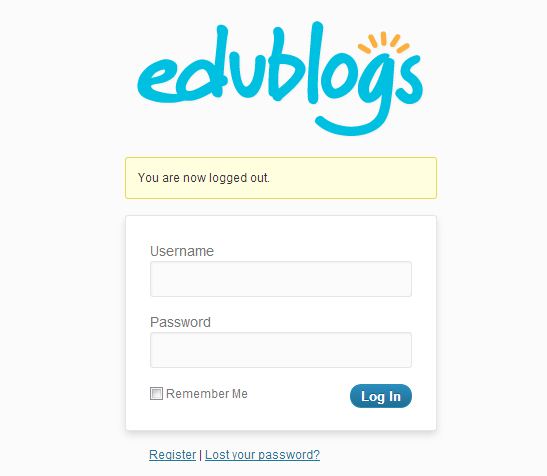
1. Go to: myriverside.sd43.bc.ca
2. Click Login

3. Enter Your
Username: first name, last initial-2013. e.g bryang-2013
Password: The one you were given
Press Login!
Login with IPAD App
1. Download the App
2. Add Edublogs Campus Site

3. Enter URL: myriverside.sd43.bc.ca/YOUR USERNAME
4. Enter Your Username: e.g bryang-2013
5. Enter Your Password
6. Press Save

Start Blogging!
