Core Competencies Self-Assessment Physics 11 (DESCRIBE OR DRAW)
Physics 11 Core Competencies Reflection
Études sur Alimentation 10 – Competencies Reflection
0-ESA10-Core Competencies
French 10 CC Self Reflection
FRAL10 – 2025 – CC
Math 9 Reflection
Core Competencies Self-Assessment (DESCRIBE OR DRAW) Math 9
ELA 9 Core Competency Reflection
Core Competencies Self-Assessment (DESCRIBE OR DRAW) ELA 9
Hunger Games AI Videos
District 13 AI Video by Ashkan In this assignment we have created…
About Me

About Me | Introduction
About Me
1) Favourite Quote:
“If everyone is moving forward together, then success takes care of itself.” -Henry Ford
I chose this quote by Mr. Ford for a reason. The world today is divided heavily through economical and political means. But when you look around, you can see how fast everything the world is developing. Now imagine how fast society would be progressing if there was no political division, if everyone worked together. Humanity would progress so much faster it would be unbelievable. This is why I chose this quote, because it’s a reminder of the potential humanity has. This quote could also be applied to a smaller scale. If you start a business and have a team that is uncoordinated, inefficient, and has no work ethic you will get nowhere. It’s possible to achieve success without working together but working together makes it so much easier.
2) Add a Video:
This is my favorite video for no particular reason other than the fact that there’s a Toyota Hilux being bashed around in every way possible.
3) Add a Picture:
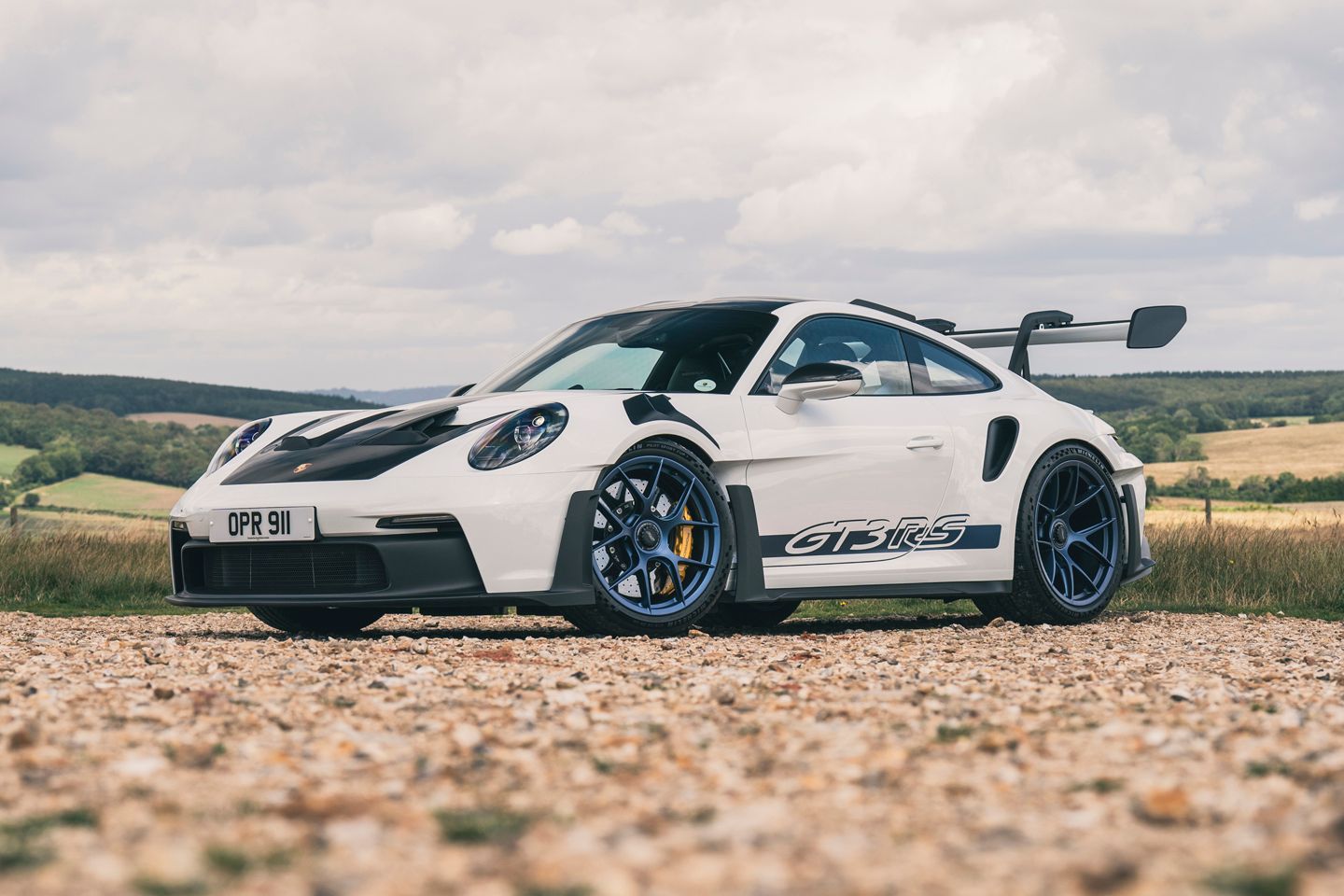
My favorite car, the Porsche 911 Gt3 RS
4) Add a Hyperlink
Customizing Your Blog
1) Blog Theme:
a) Click Dashboard > Appearance > Themes, located on the left hand side of the screen. Choose a theme that is mobile friendly, and apply it.
*Once you have changed your theme you must also, identify the menu you will be using for your blog. Click Dashboard > Appearance > Customize > Menus > Menus Location > Select the Menu (normally About Me)
*For more detailed information how to customize your blog’s Appearance and Theme click here.
Blog Appearance:
a) From your Dashboard > Appearance > Customize, located on the left hand side of the screen.
 Site Identity:
a) This is where you can edit the title of your blog (Please choose an appropriate title, that does not have both your first and last name in it).
b) Edit your tagline. Your tagline is a very short sentence that gives the viewer a snapshot
2) Colors:
Edit the colour scheme of your blog.
3) Header Image:
Add and change the picture that is being used in your header.
4) Background Image:
Adjust your background image.
5) Menus:
a) Create multiple menu structures.
b) Make sure you select Menu Location > Primary Menu > About Me.
c) Then click Save. This will ensure your menu stays the same, even after adjusting the theme.
6) Widgets:
– Locate and see all the widgets on your blog.
7) Static Front Page:
– Front Home Page display is set to -> Static Page and Front Page is set to -> About Me
Your First Post
Create your first post. At the top of the Dashboard > New > Posts.
1) Title:
– Create a title for your blog post. Your title will be: Rapid Nation

2) Body:
a) content of the post – text, videos, pictures, etc.
b) Write a short paragraph about what you are excited about for this upcoming year at Riverside.
c) What are some things you want to get involved with? How will you become a part of the Rapid Nation?
*See if you can add a picture to your post.
3) Tool Bar:
– Add Media and Add Documents into your posts, this is the best way to create visual representations. You can also change fonts, hyperlink, etc.
4) Publish:
a) Control what items are public and private.
b) Control when they are published to your website.
5) Categories:
a) Choose where you want your post to go.
b) This is your digital binder with all of your subjects. Categorize > Grade 9
6) Tags:
a) Create tags, these tags can help you find things quicker on your blog and help you stay organised.
ie. Tag > #rapidnation
7) Publish:
a) When you are done, press Publish.